OND files (inverters)
How to upload a manufacturer OND file to use a specific inverter in SolarLayout.
An OND file is the industry-standard format for inverter specifications. It carries the inverter's nominal AC rating, peak output, weighted-European and peak efficiency, MPP voltage window, nominal AC current, and a few topology hints.
The workflow mirrors PAN files (modules) — upload once, then the inverter is available in every project.
Where to get an OND file
The cleanest source is the manufacturer's tech support or application engineering team for your specific inverter model. Request the PVsyst .OND file from your inverter manufacturer — most major manufacturers provide them on request. Many don't publish OND files on the public website; they're shared via the sales / application engineering channel.
If you can't get an OND for the exact model:
- Upload an OND for a similar model from the same manufacturer as a stand-in for first-pass feasibility.
- For lender-bound bankable models, insist on the actual OND — LTAs will refuse a yield model that uses a generic inverter.
How to upload
Open the Resource Library
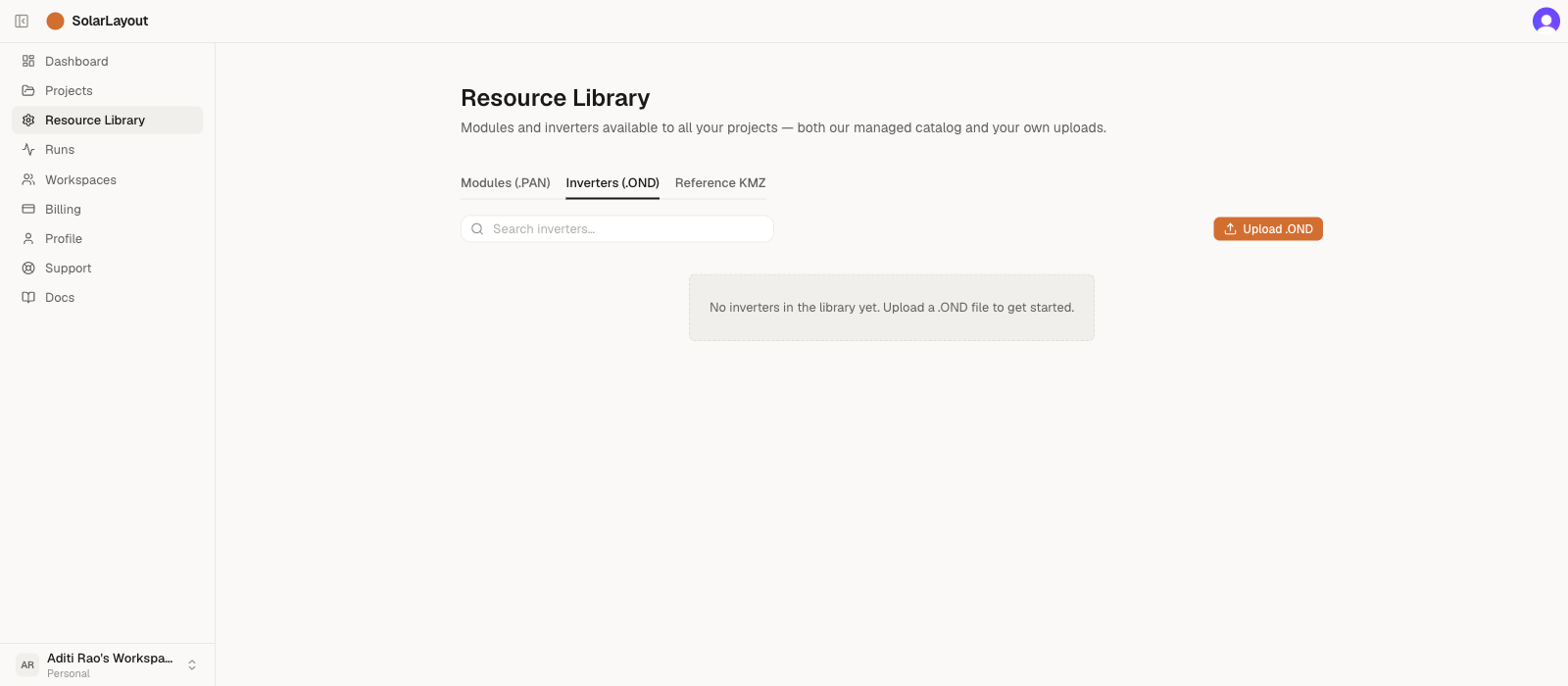
In the Home sidebar, click Resource Library, then click the Inverters (.OND) tab.
Click Upload .OND
The button is in the table toolbar, top-right. A file picker
opens, filtered to .OND files (case-insensitive).
Select the file and wait for parse
SolarLayout reads the file on the server, extracts the fields below, and adds the new row at the top of the Inverters (.OND) tab.
File size cap is 256 KiB — .OND files are 1–4 KB in practice;
the cap exists to catch wrong-file picks.
Confirm the new row
The new inverter appears in the table with the parsed Pnom, topology, and η Euro values. No Managed chip — it's in your tier and you can delete it from the row menu later.
What SolarLayout reads from an OND file
The OND format is a key=value text file inside
PVObject_=pvGInverter blocks. SolarLayout's importer extracts:
| OND field | Used for |
|---|---|
Manufacturer (required) | Display + search |
Model (required) | Display + search |
PNomConv (required) | Nominal AC continuous output (kW) — primary rating |
PMaxOUT | Peak AC output (kW) |
EfficEuro | Weighted European efficiency (%) |
EfficMax | Peak efficiency (%) |
VOutConv | Nominal AC output voltage (V) |
VMppMin, VMPPMax | MPP voltage window (V) — DC string sizing |
INomAC, IMaxAC | Nominal and max AC current (A) |
MonoTri | Single- vs three-phase (Mono / Tri) |
Transfo | Isolation transformer present (anything other than Without) |
YearBeg | First manufacturing year |
Manufacturer, Model, and PNomConv are the only required
fields — the upload is rejected if any of those is missing. Every
other field is optional and stored as null if absent.
Two notable OND fields SolarLayout does not currently extract:
- MPPT count (
NbMPPT) — not read today. The MPPT count doesn't drive any current sizing logic. - Efficiency curve points (
Profil/ProfilPIO) — only the weighted-European and peak efficiency scalars are used today. Curve points are preserved in the original file (downloadable from the catalog) for future yield-model use.
Central vs string topology
The OND format does not encode topology directly — there's
no topology=central|string field. SolarLayout infers topology from
the nominal AC rating:
PNomConv ≥ 1000 kW→ CENTRALPNomConv < 1000 kW→ STRING
This works because the industry distribution is bimodal — string inverters cluster at 3–350 kW, central inverters at 1–4 MW, and the 350–1000 kW gap is largely empty. Real-world catalogs match this heuristic at >99%.
Edge cases the heuristic gets wrong (rare):
- 800–1000 kW "central" platforms (some manufacturers) → labelled STRING.
- 1100+ kW "1.5 MVA platform" string inverters → labelled CENTRAL.
For these, the parsed row will pick up the wrong chip. There's no in-app way to edit the topology of a row yourself — your own uploads only carry a Delete action. If you hit an edge case that matters to your project, contact support and we'll re-classify the row on the managed-catalog side, or flag the row in your project notes for now.
Common OND upload issues
- "Not a valid OND file (PVObject_=pvGInverter header missing)" —
the file doesn't contain the
PVObject_=pvGInverterheader. Often a PAN file picked by mistake, or an OND exported from a non-standard tool. - "Required field missing:
Manufacturer" (orModel, orPNomConv) — one of the three required identifiers is absent from the file; the message names the specific field. Open the file in a text editor (OND is plain text) and verify, or request a clean export from the manufacturer. - "
<filename>is<size>— too large for a .OND file." — files over 256 KiB are rejected. The full message notes.PANand.ONDfiles are typically 1–4 KB and to make sure you picked the actual.ONDfile.
See Uploading your own hardware for the general workflow.